
APIs often run into a common problem: when too many requests hit the system at the same time, the server begins to slow down. This can happen because of automated scripts, scheduled jobs, or even normal users refreshing a page too often. If the API doesn’t control how frequently someone can send requests, the entire system can become overloaded and start failing.
To avoid this, we need a way to limit how often requests are allowed.
The ASP.NET Core Rate Limiting Middleware helps solve exactly this problem. It manages the flow of incoming requests and protects the API from heavy traffic. Overall, it helps maintain smooth, consistent performance without much hassle.
This blog post covers the basics of rate limiting and explains why it really matters. We will also explore the various types of limiters built into ASP.NET Core. These limiters let you handle high volumes of traffic in a safe and controlled manner.
What Is Middleware in ASP.NET Core?
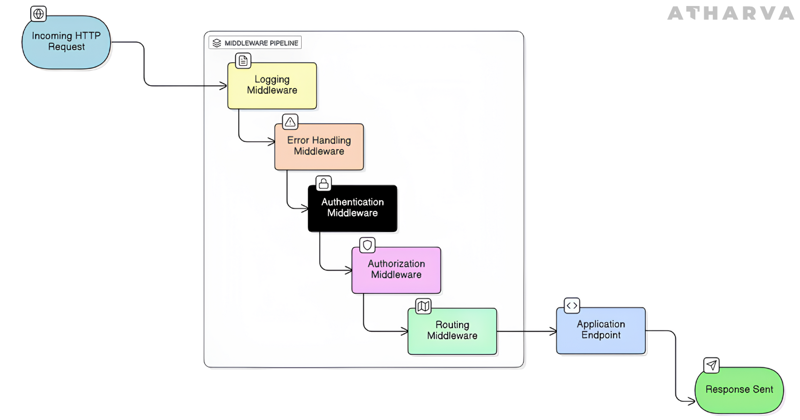
In ASP.NET Core, middleware refers to the series of components that every incoming request passes through before it reaches your actual endpoints. Each component in this pipeline can inspect the request, modify it, or even stop it entirely if needed. Common features like authentication, authorization, logging, routing, and error handling are all implemented as middleware.
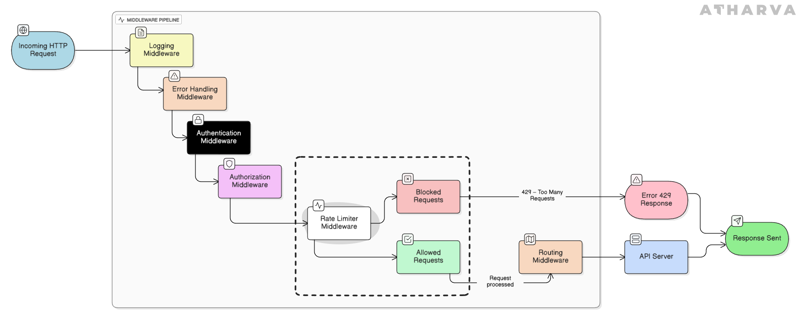
Rate limiting fits naturally into this pipeline as well. It evaluates each request based on the rules you’ve configured and decides whether the request should continue through the pipeline or be rejected.
This feature was first introduced in .NET 7, making it the initial version to include built-in rate limiting middleware. In .NET 8 and .NET 9, the feature has been improved even more with better performance, new policies, and more flexible configuration options. These updates make modern ASP.NET Core applications more stable, resilient, and scalable than before.
Why Rate Limiting Matters
Rate limiting helps keep your system stable when traffic gets heavy. It prevents users or automated scripts from sending too many requests at once, which reduces the pressure on your backend. This makes your API more reliable overall. It also adds a layer of protection against misuse, including attacks like brute-force attempts.
Advantages
Prevents API overload by stopping too many requests from hitting the server at once, ensuring it doesn’t run out of CPU, RAM, or bandwidth
Ensures fair usage so that all clients get equal access and no single client monopolizes API capacity
Keeps APIs stable and available even during peak traffic or sudden usage spikes
Enhances security by reducing the impact of DoS attacks, brute-force attempts, and abusive request patterns
Reduces cloud costs like compute, bandwidth, and storage by avoiding unnecessary or excessive API calls
Supports scalable business models, enabling different API pricing tiers based on allowed request limits
Provides smooth degradation, by returning a 429 Too Many Requests response so clients can retry later instead of the server crashing
Improves monitoring and visibility, as rate limit logs help detect bots, automated scripts, or abnormal traffic surges from specific clients (we may include logging code to justify this advantage)
Limitations
Can block real users if limits are too strict, causing valid requests to fail with 429 errors
Adds extra complexity because rate limiting requires tracking requests and maintaining shared counters
Adds some delay because each request has to go through the rate-limit check before being processed
May break integrated systems that aren’t prepared to handle throttling or retry logic
Doesn’t fix slow or inefficient APIs, it only reduces load, not performance issues
Attackers can bypass limits by rotating IPs or spreading requests across many accounts
Understanding Different Limiter Types
Limiter Type | How It Works | Best Use Case |
Fixed Window Limiter | Allows a fixed number of requests in each time window (e.g., 100 requests per minute). Count resets at the start of the next window, which can cause bursts at boundaries. | Predictable traffic patterns, internal APIs, simple rate limits. |
Sliding Window Limiter | Breaks the time window into smaller intervals and calculates the rate using a rolling window. Prevents sudden spikes right after a reset. | Public APIs needing smoother and fairer request distribution. |
Token Bucket Limiter | Each request consumes a token, tokens refill at a steady rate. Allows short bursts while keeping long-term limits enforced. | Mobile apps, IoT devices, or anything with unpredictable or bursty traffic. |
Concurrency Limiter | Limits how many requests can be processed at the same time. Extra requests queue or fail immediately. | CPU-intensive operations like image processing, file conversions, long-running tasks. |
What’s Coming Next
This blog introduced the core idea of rate limiting and gave a quick overview of the four limiter types available in ASP.NET Core. The next blog in this series will focus on the Fixed Window Limiter, explaining the problems it solves and how it can be implemented in ASP.NET Core. After that, separate posts will cover the Sliding Window, Token Bucket, and Concurrency limiters with examples and code to show where each limiter is most useful.
References
Related Blogs
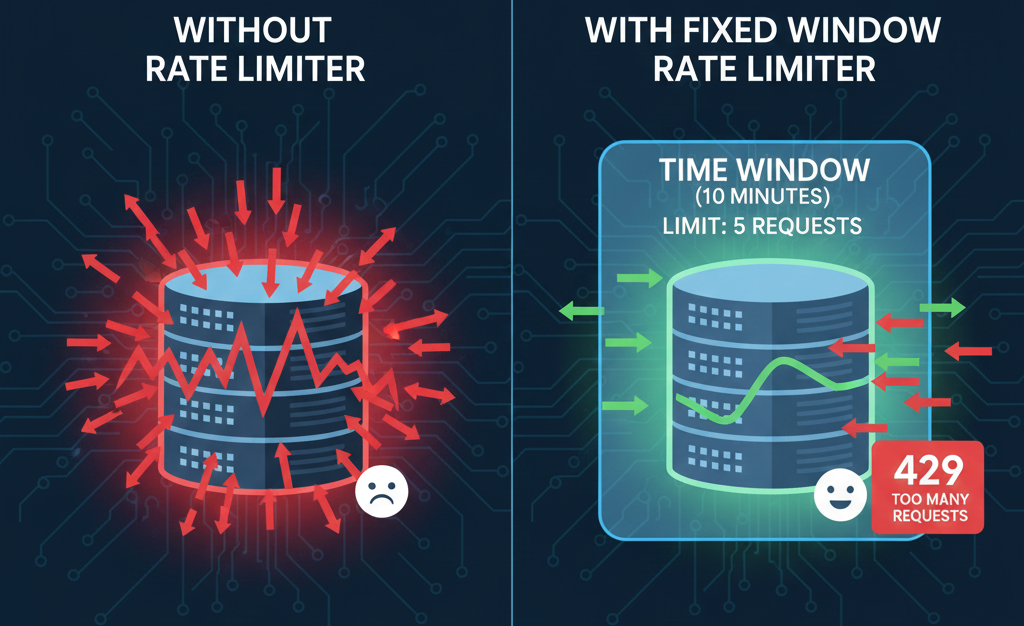
Fixed Window Rate Limiter in ASP.NET Core
How the Fixed Window Rate Limiter keeps ASP.NET Core APIs stable and controlled.
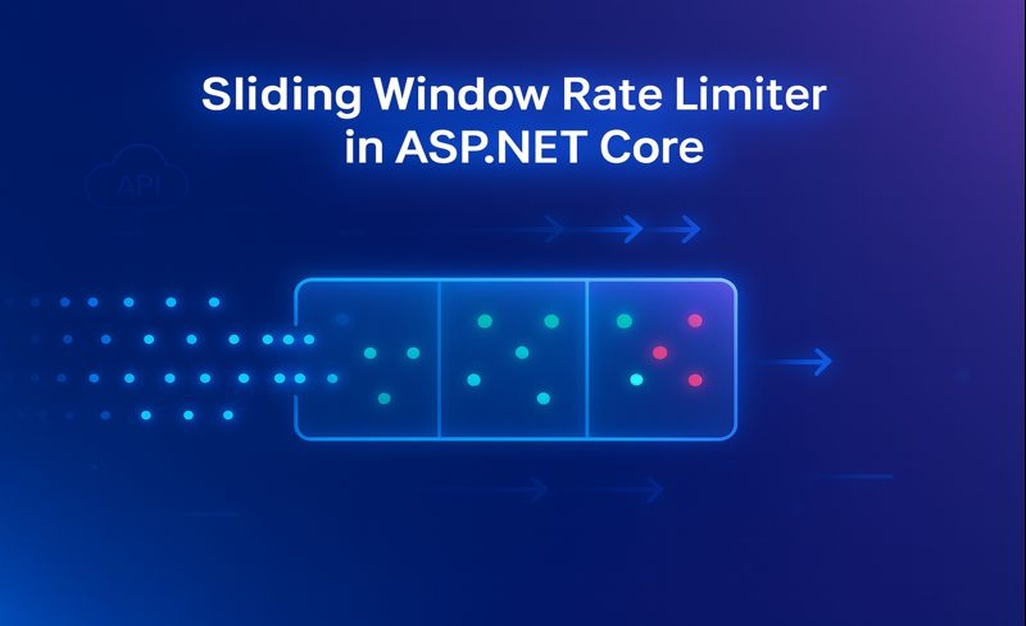
Sliding Window Rate Limiter in ASP.NET Core: What is it and when to use it?
Sliding Window Rate Limiting to balance bursty traffic and protect ASP.NET Core APIs.
Token Bucket Rate Limiter in ASP.NET Core: What is it and when to use it?
Token Bucket rate limiting to support burst traffic while protecting ASP.NET Core APIs from overload.