February 4, 2026

uHeroSlider - Dynamic Hero Component for Umbraco

uHeroSlider - Dynamic Hero Component for Umbraco

Atharva IT Services Pvt. Ltd.

The Ultimate Responsive Hero Slider for Umbraco

Effortless Impact. Perfectly Timed

Create stunning, responsive hero sections in minutes with built-in scheduling and multimedia support

Elevate your website's first impression with uHeroSlider, a premium, fully responsive hero carousel designed specifically for Umbraco 17+. Built with flexibility and performance in mind, it allows content editors to effortlessly manage dynamic slides with images, videos, and rich text. Featuring intuitive scheduling capabilities, you can pre-plan slide visibility for campaigns or events, ensuring your content is always timely

Key Features

Advanced technology at your fingertips

Advanced Scheduling

Take control of your campaigns with per-slide and global scheduling. Set start and end dates with timezone support to automatically show or hide content precisely when you need it.

Rich Multimedia Support

Engage your audience with diverse content. seamlessly mix high-quality images and videos

Fully Responsive & Customizable

Built mobile-first to look perfect on any device. Customize animations, transitions, loops, navigation dots, and arrows directly from the Umbraco backoffice without touching a line of code


Product Gallery & Steps

Explore product images and follow the steps

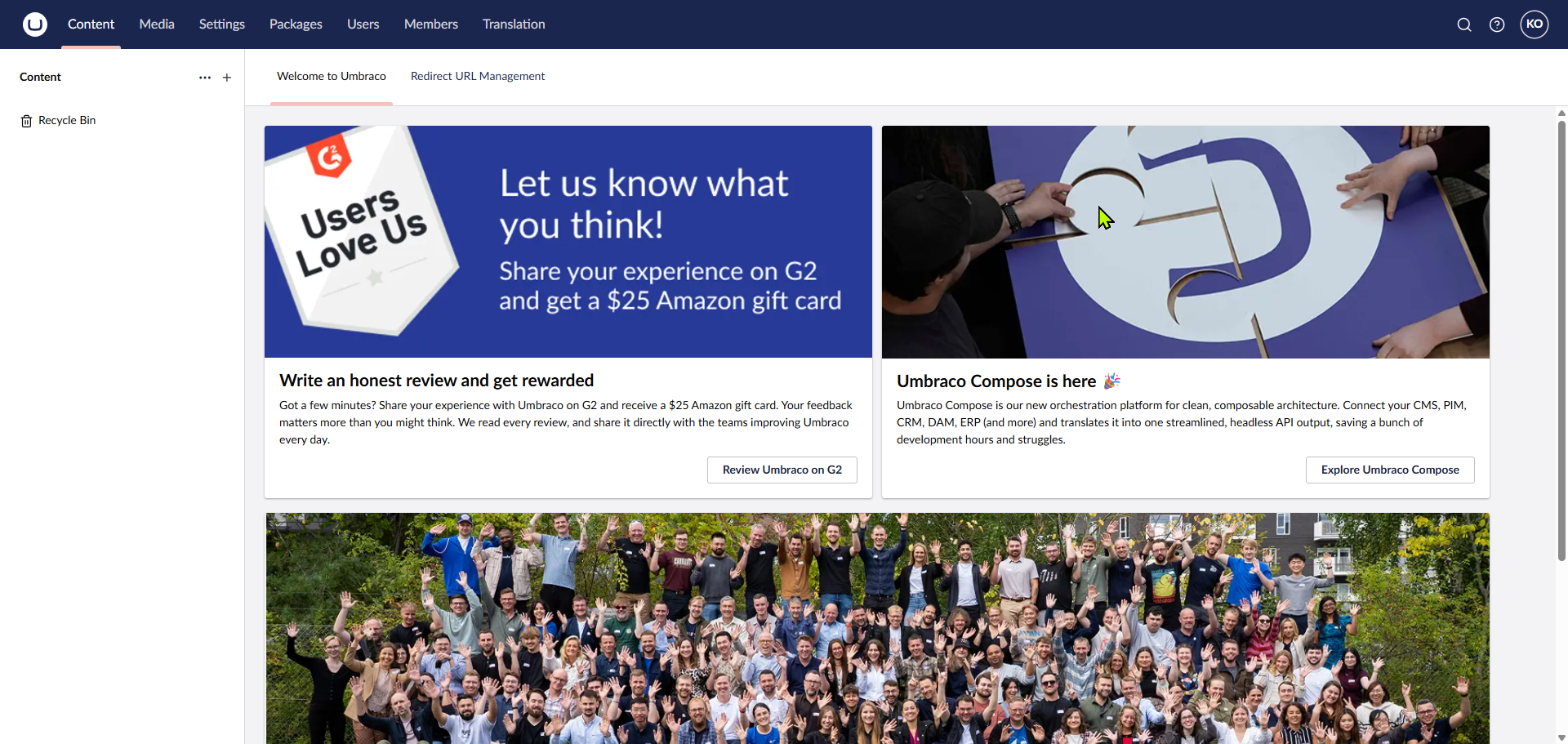
01

Initialize back office

Initialize back office
Click to expand
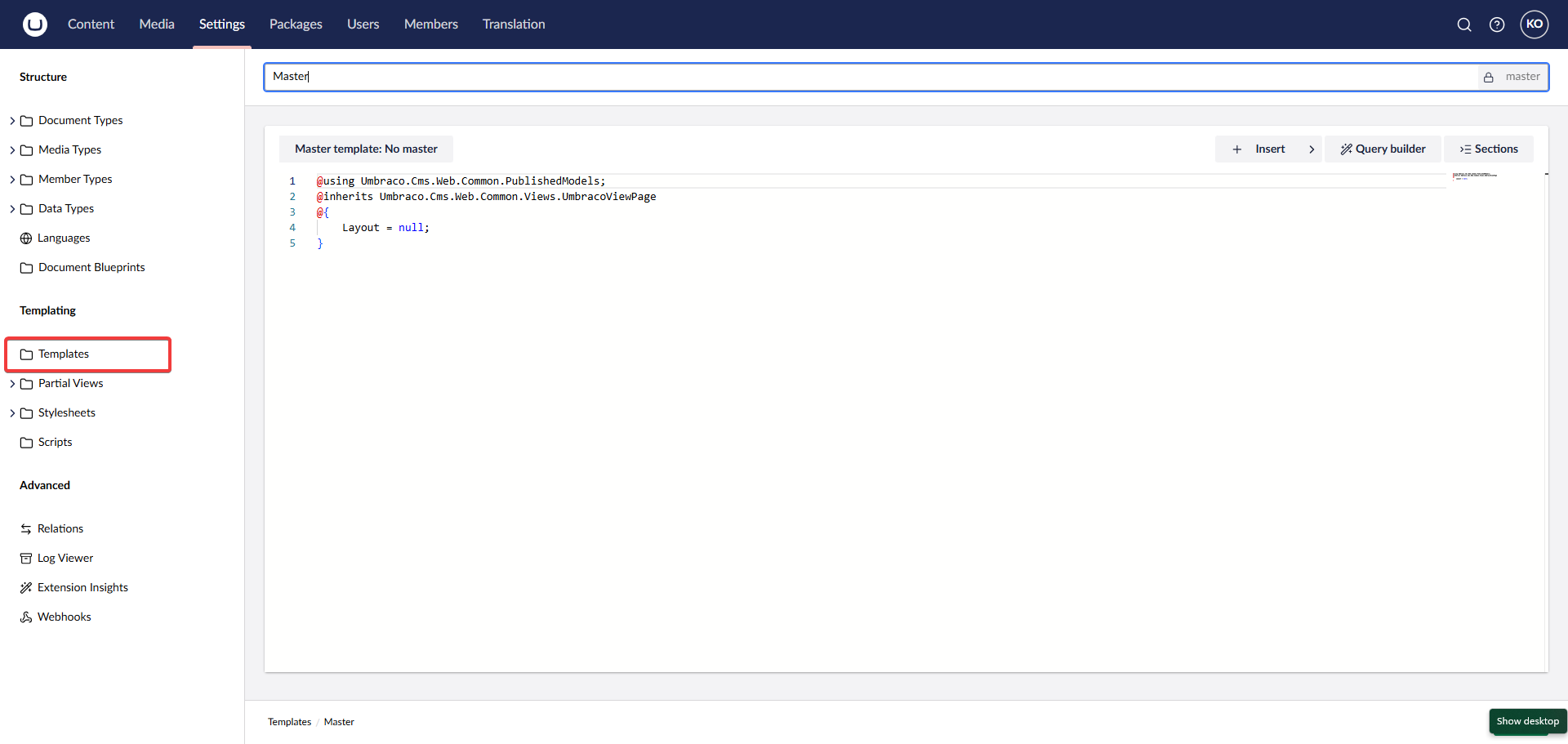
02

Create Master layout

Create Master layout
Click to expand
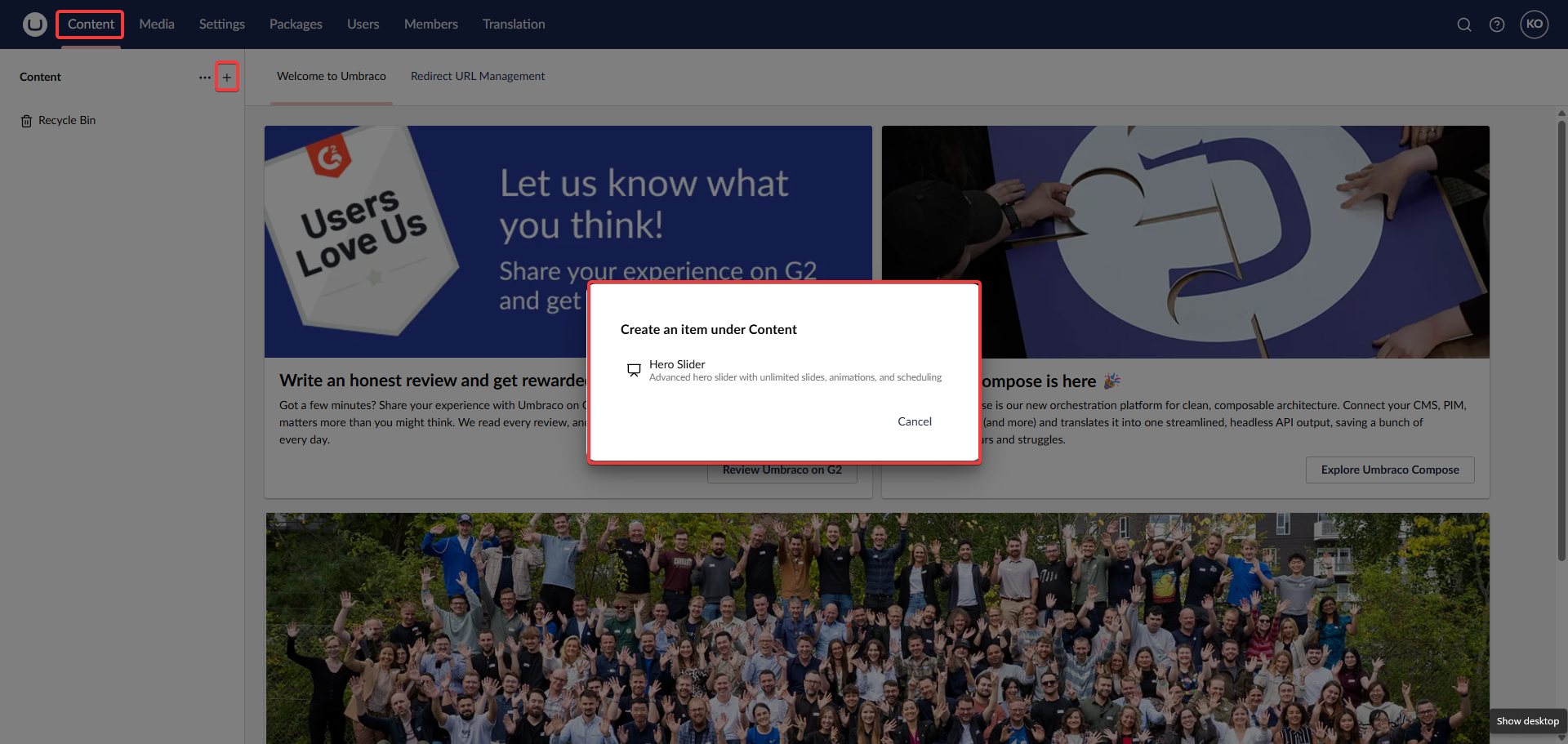
03

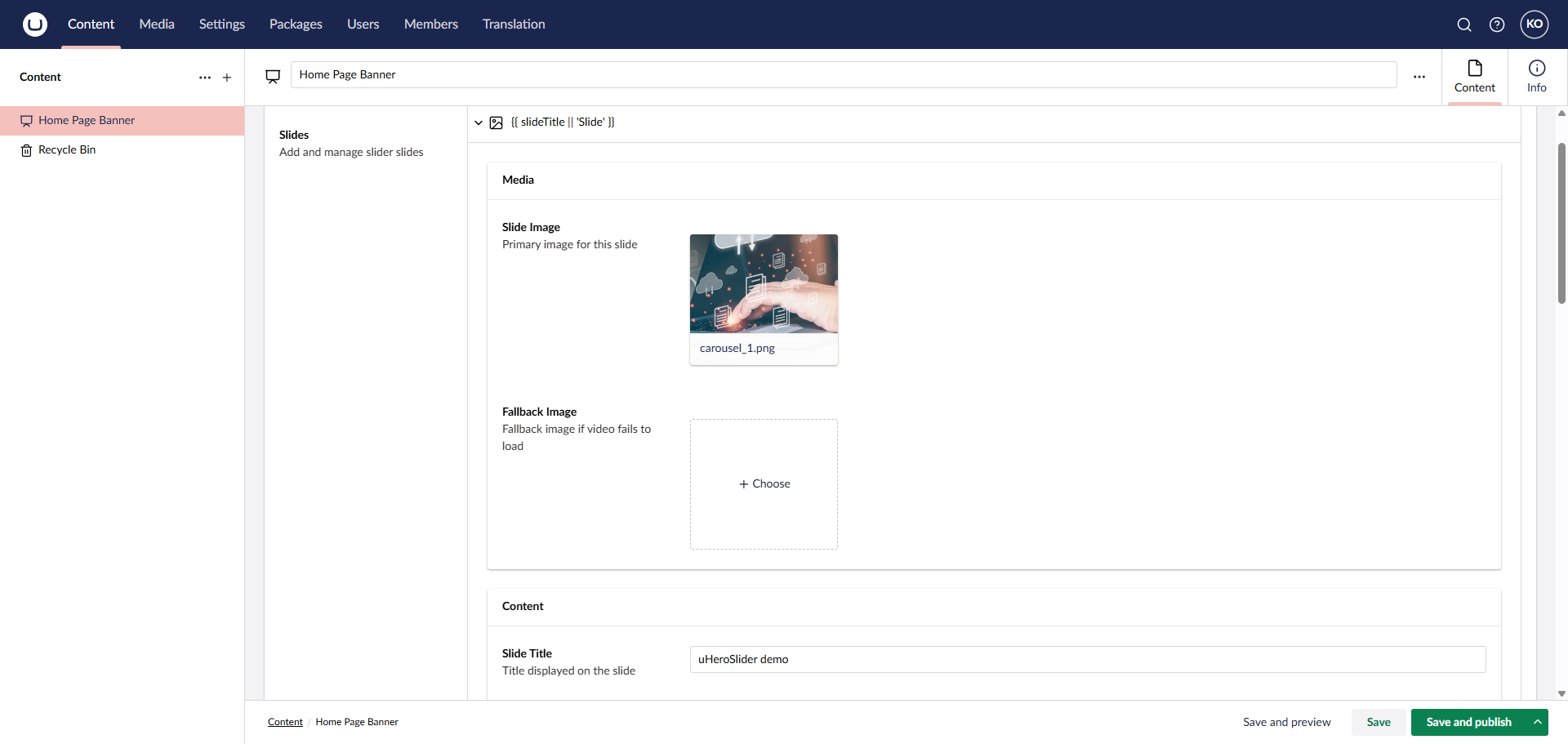
Create HeroSlider document in the content section

Create HeroSlider document in the content section
Click to expand
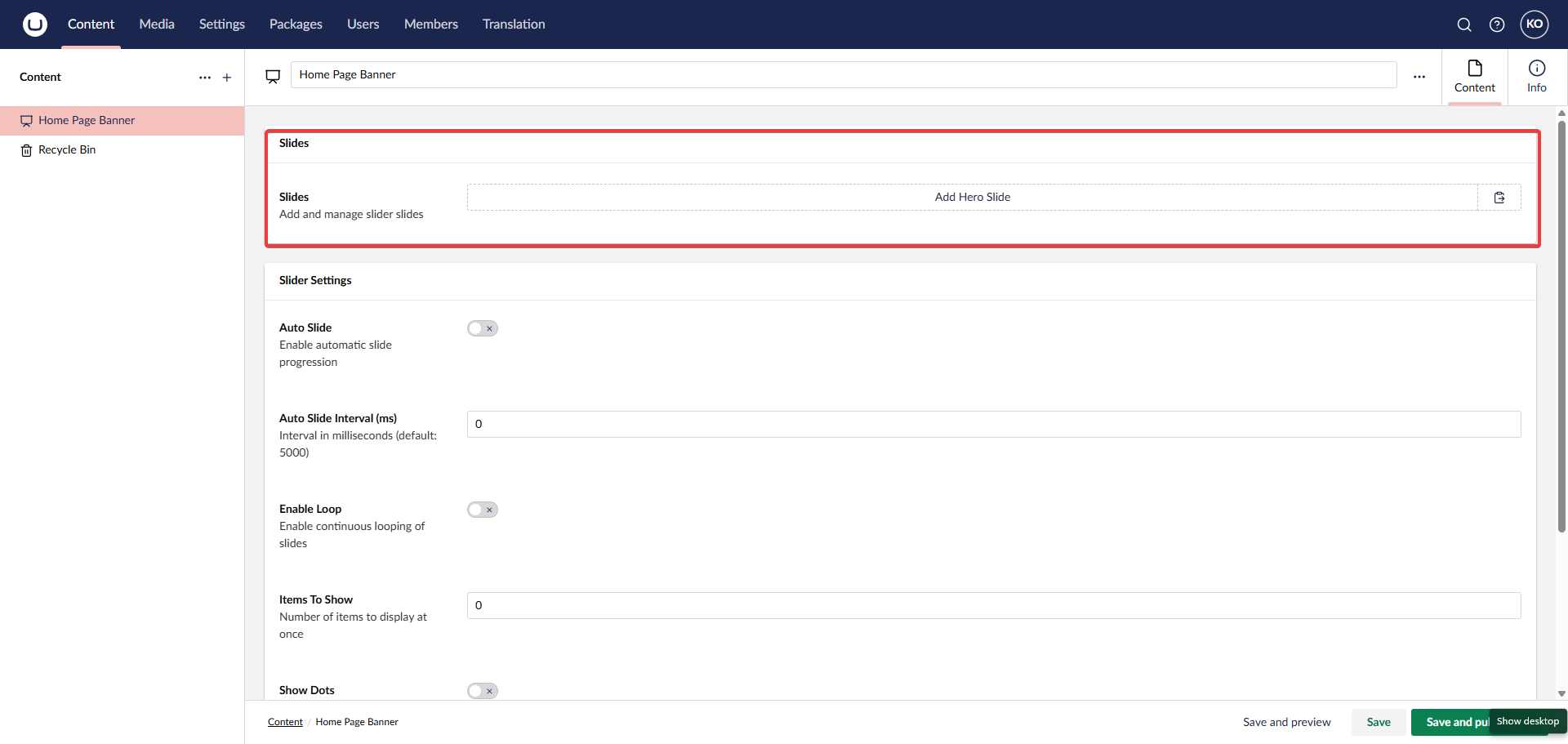
04

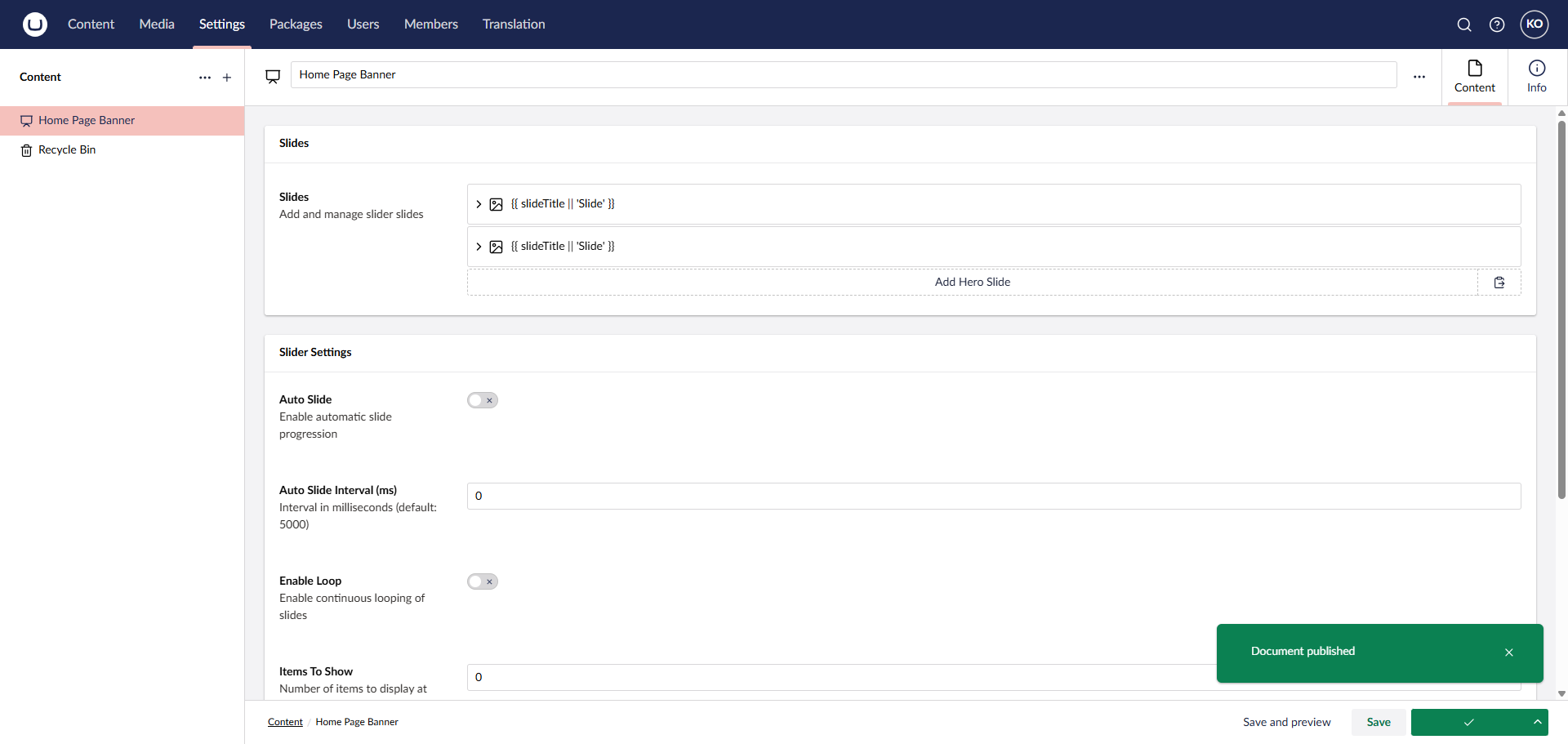
Add slides to the created HeroSlider document

Add slides to the created HeroSlider document
Click to expand
05

Fill in individual slide details

Fill in individual slide details
Click to expand
06

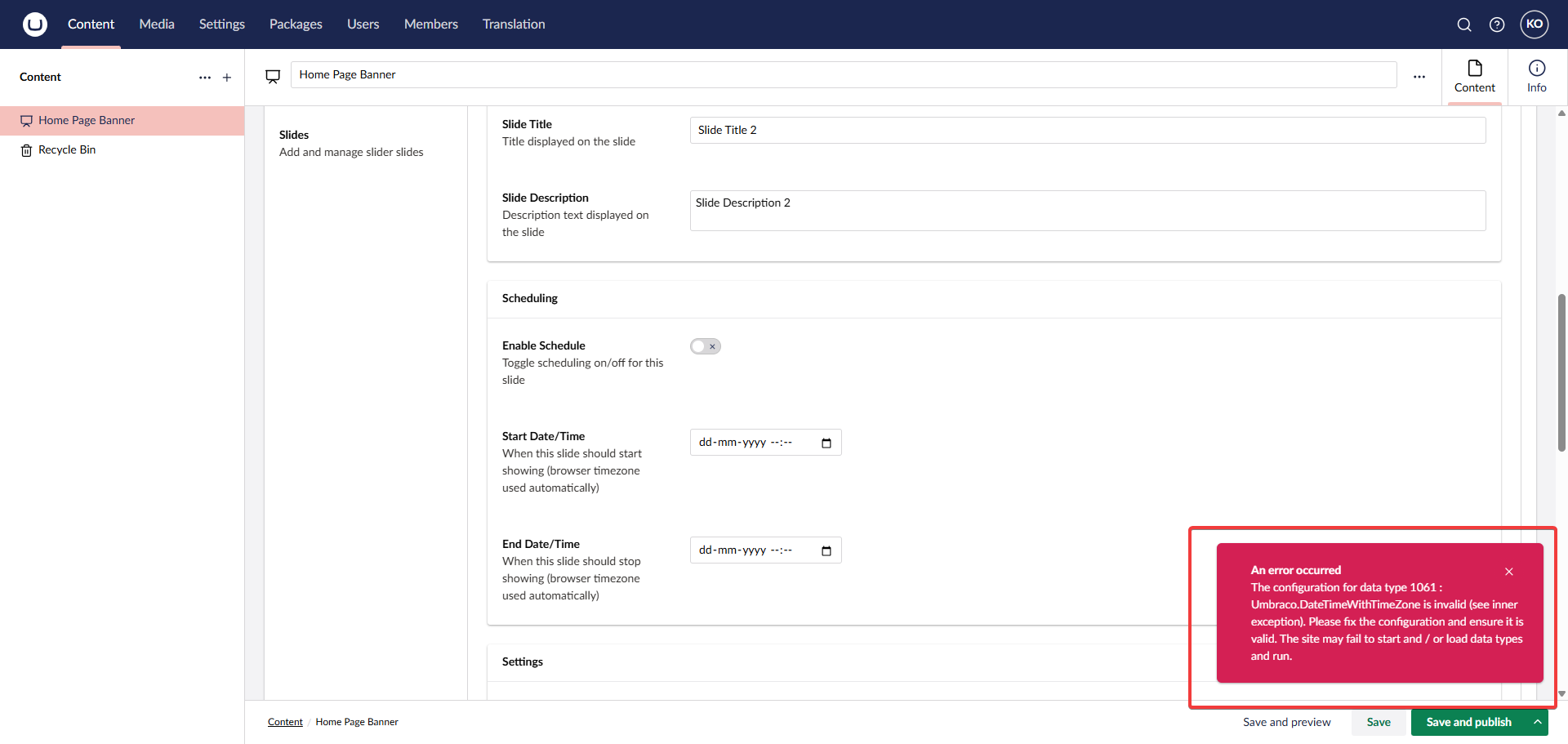
Trouble shooting

Trouble shooting
Click to expand

Follow the next steps if you are receiving timezone regarding error shown in picture

07

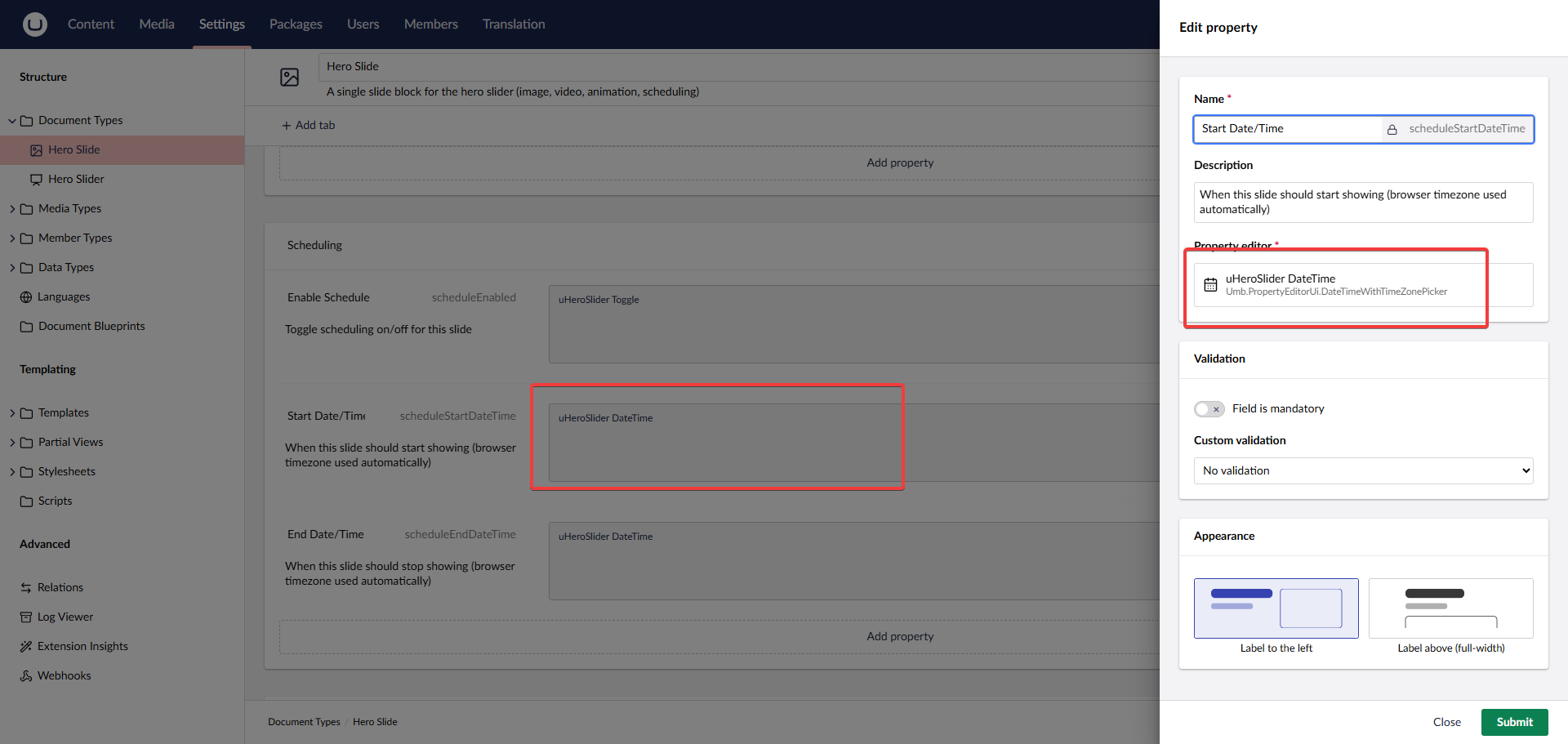
Go to the property editor

Go to the property editor
Click to expand

Click Settings -> Hero Slider document -> navigate to the date properties as shown in the image

08

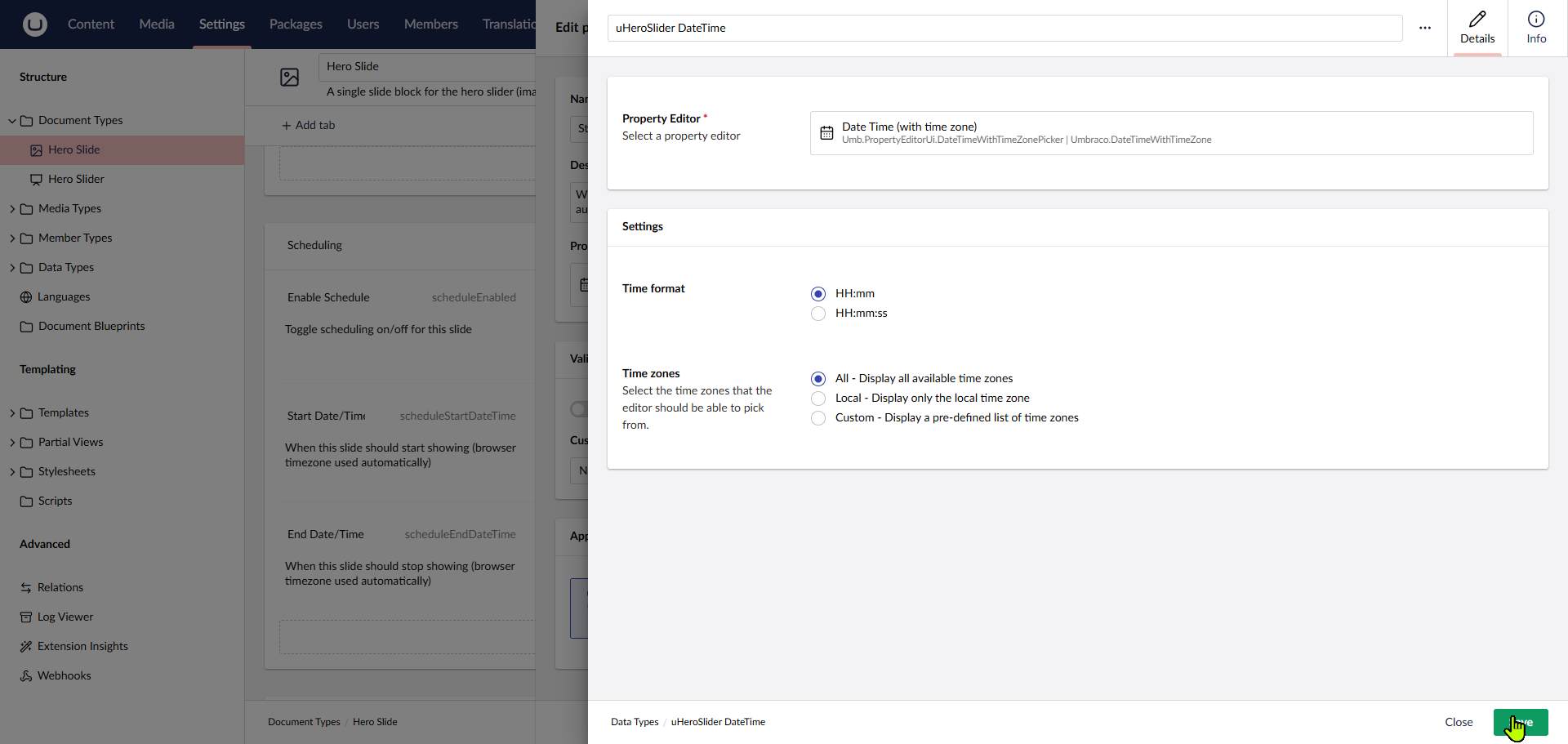
Save the new config

Save the new config
Click to expand

Open the media picker property editor and temporary toggle local then select all then save the changes

09

Save the main document in content section

Save the main document in content section
Click to expand
10

Hero carousel should be working as expected

Hero carousel should be working as expected
Click to expand

Transform Your Homepage Today

Download uHeroSlider now and start building dynamic, professional hero sections that captivate your audience instantly.